


MemoraLink™ — Clear Space on Your iPhone Instantly, No iCloud Required
MemoraLink™ — Clear Space on Your iPhone Instantly, No iCloud Required
 High Quality
 FREE US Shipping
 Hassle Free Returns
Couldn't load pickup availability
Stop Deleting Photos. Start Saving Them — On Every Device You Own.
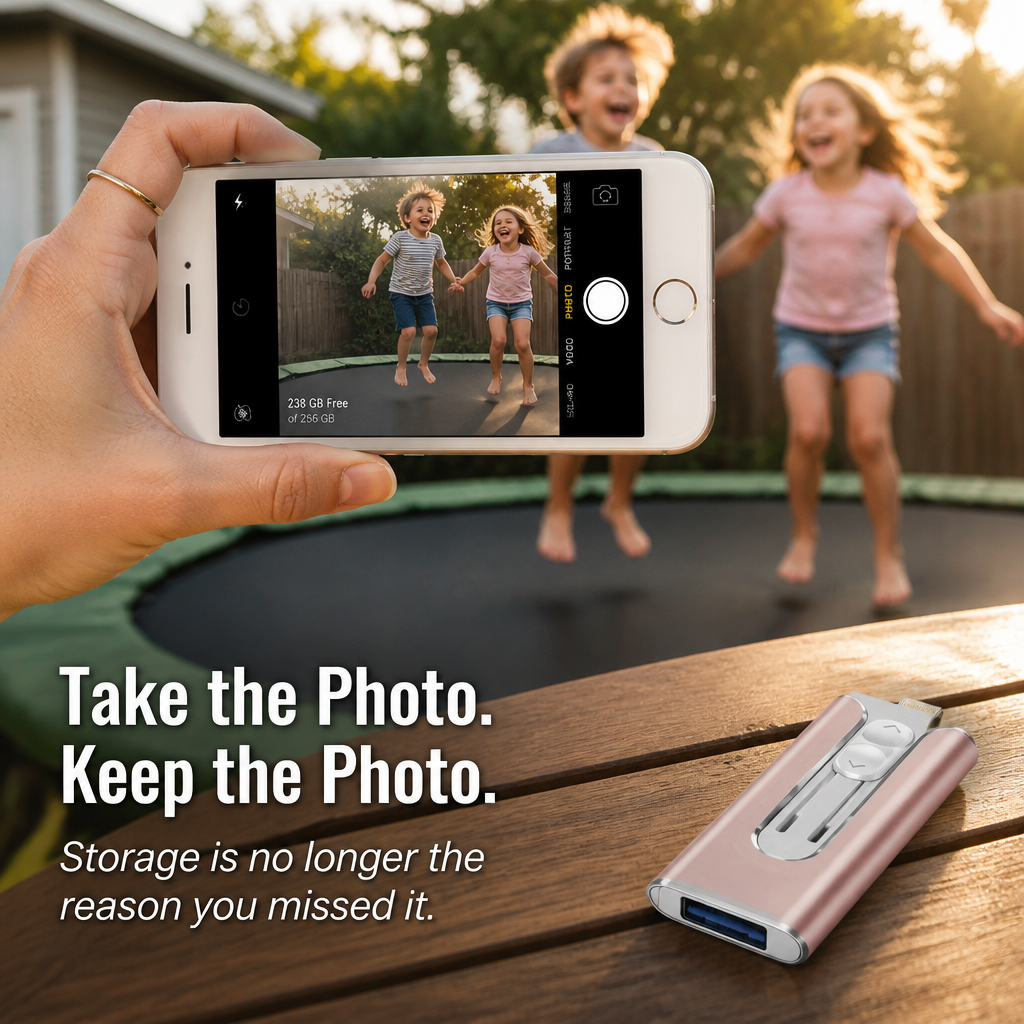
Your iPhone is full again. The "Storage Almost Full" alert appeared right in the middle of vacation. Mom wanted your daughter's recital video and you had to send three blurry screenshots because the file wouldn’t transfer. MemoraLink™ is the 3-in-1 photo stick that solves all that — plug it into your iPhone, Android, laptop, or USB-C MacBook. Offload thousands of photos and videos in seconds. No cloud fees. No app hassle. No deleting cherished memories to make space for new ones.

Stop Shelling Out $9.99 Monthly Just to Keep Your Memories
iCloud stacks up. 50 GB. Then 200 GB. Then 2 TB. After a few birthdays and two summer vacations jammed into your iPhone, you’re locked into monthly fees for life — just to hold onto photos your phone already paid to capture.
Or you delete. You waste a Sunday swiping through 800 burst shots from one afternoon, picking which memories to toss. That’s not a backup—it’s giving up.
 One Stick. Three Connectors. Every Device You Own.
Slide the switch up — Lightning tip appears for older iPhones and iPads. Slide it down — full-size USB-A reveals for any laptop or PC. Snap on the included USB-C cap — for Android phones, USB-C iPads, MacBooks, Windows laptops with USB-C, even smart TVs. One compact drive for every port your devices demand.

- Transfer 1,000+ Photos in Less Than Two Minutes. USB 3.0 rapid transfer speeds handle 4K videos, full-resolution camera rolls, and entire photo libraries — no 30-minute wait like you’d get on spotty WiFi.
- Ditch the App Drama. Plug it in, your device instantly detects storage, drag over what you want. No accounts to create. No passwords to recall. No battling iCloud’s "Optimize iPhone Storage" guesswork.
- Built to Endure the Diaper Bag. Sturdy metal frame, no flimsy plastic, sliding shutter locks connectors safe when tossed in your bag. Comes with a keychain loop so it never vanishes into the couch cushions.
How the Slider Mechanism Works
The magic is in the textured slider on the front. Slide it up and the Lightning tip extends for your iPhone or older iPad. Slide it down and a full USB-A plug emerges for your laptop or PC. The matte-black USB-C cap snaps onto the USB-A end when you need to connect to an Android phone, a USB-C iPhone (15, 16, 17), or a new MacBook.
"Got this because my iPhone was down to 7GB free. After one night with it, I had 71GB free. No iCloud payments, no app downloads, no tutorials. Plugged it in, dragged everything over, done." — Sarah K.
Simple 3-Step Backup
1. Slide out the connector for your device.
2. Plug it in. Your phone or laptop recognizes MemoraLink™ as external storage.
3. Drag your photos, videos, contacts, or files over. Finished in seconds.
MemoraLink™ vs. The Alternatives

| MemoraLink™ | iCloud / Cloud Sub | Single-Connector Drive | |
|---|---|---|---|
| Monthly fee | $0 — one-time | $2.99–$9.99/mo for life | $0 |
| Compatible with iPhone + Android + Mac + PC | All four | Tied to one ecosystem | One device type |
| Works without WiFi | Yes — anywhere | No | Yes |
| Files remain yours, offline | Always | Cloud-dependent | Always |
Inside the Box
- 1× MemoraLink™ 3-in-1 drive (Lightning + USB-A built-in)
- 1× USB-C adapter cap (matte black)
- Capacity: 32GB / 64GB / 128GB / 256GB
- Color: Pink / Gold / Black / Silver
- USB 3.0 high-speed transfer
- Works with iPhone, iPad, Android phones, MacBook, Windows PC, smart TVs
- Sturdy metal chassis, sliding connector shutter, keychain loop
Common Questions
Will this work with my iPhone?
If your iPhone uses a Lightning port (iPhone 14 and older, all SE models), use the built-in Lightning slider. If your iPhone has a USB-C port (iPhone 15, 16, 17), use the included USB-C adapter on the USB-A side.
Do I need to download an app?
No app needed. Plug it in and your device detects MemoraLink™ as external storage—drag and drop just like a regular USB drive.
How fast is the transfer?
USB 3.0 high-speed. A 4K iPhone video transfers in seconds, and a full camera roll of 1,000 photos usually finishes in less than two minutes—much quicker than waiting on iCloud sync at the airport.
Will I lose photo or video quality?
No quality loss. Photos and videos move in the exact resolution they were taken.
Can I use it as a keychain?
Yes—there’s a small loop built into the chassis for keychains, lanyards, or bag clips. The metal case stands up to drops, and the slider keeps connectors covered when thrown in a bag.
If It Doesn’t Free Up Your Phone, Return It. Full Refund on Every Penny.
Plug it in tonight. If MemoraLink™ doesn’t cleanly move your photos and videos to your chosen device—or the connectors don’t fit your phone—send it back within 30 days. Full refund, no questions, no restocking fees.


Rated 4.7 / 5 based on 1289 reviews. Showing our 5-star reviews.